Skej
Assistants
Product
Solutions
For Teams
Switch from Calendly
Pricing
← Back to Blog
Outlook Scheduling Assistant vs AI Scheduling Tools

Outlook Scheduling Assistant vs AI Scheduling Tools

Justin Canetti•2026-03-17

Microsoft Outlook has long included a built-in feature called Scheduling Assistant, designed to help users find meeting times by viewing calendar availability across participants.

For internal meetings inside a single organization, this tool works well. But as companies collaborate more with external partners, customers, and distributed teams, traditional scheduling workflows often become slow and inefficient.

This has led to the rise of AI scheduling assistants — tools designed to coordinate meetings automatically instead of requiring manual calendar management.

Understanding the difference between Outlook Scheduling Assistant vs AI scheduling tools can help organizations choose the right approach.

What Is Outlook Scheduling Assistant?

Outlook Scheduling Assistant is a feature inside Microsoft Outlook that helps users visualize calendar availability when creating a meeting.

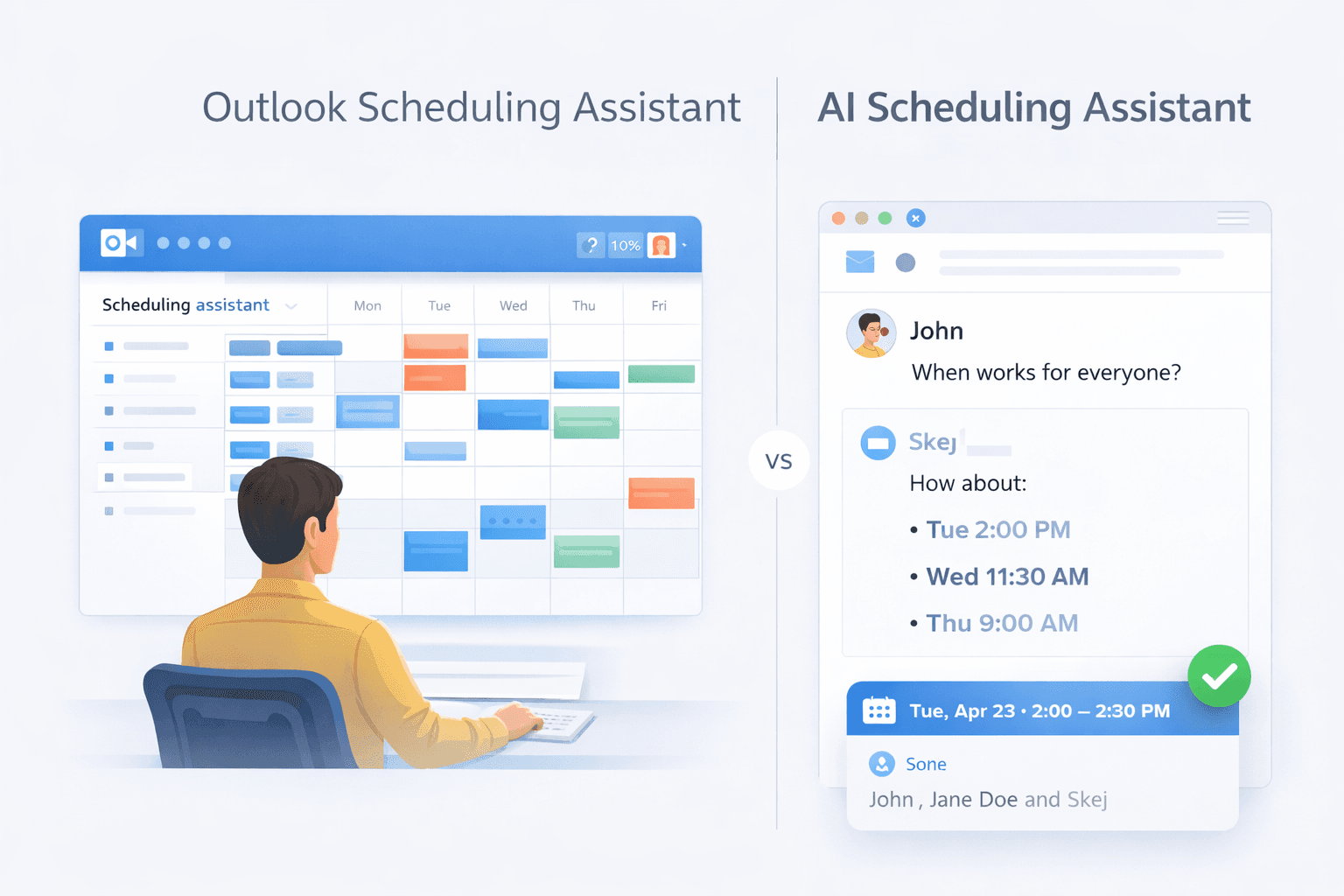
When adding attendees to a meeting invite, Outlook displays a grid showing when each participant is free or busy. This allows the organizer to manually select a time that works for everyone.

This approach works best when:

  • All participants are within the same organization
  • Calendars are shared internally
  • Meetings involve a small number of attendees
  • Someone is actively managing the scheduling process

For internal teams working inside Microsoft 365, Scheduling Assistant can be a convenient way to quickly scan availability.

However, the process is still manual. Someone must review the calendar grid, propose a time, and send the invite.

Limitations of Outlook Scheduling Assistant

While Outlook Scheduling Assistant works well for internal coordination, it begins to break down when meetings involve external participants or complex scheduling.

Limited visibility with external attendees

When scheduling meetings with people outside the organization, Outlook typically cannot view their calendars. This removes the main advantage of the scheduling grid.

Email back-and-forth

Without shared calendars, scheduling often turns into long email threads proposing and negotiating times.

Multi-participant coordination

When several people are involved, finding a time manually can become tedious.

Time zone complexity

Distributed teams frequently encounter confusion around time zones and availability.

Because of these limitations, many organizations now look for tools that automate scheduling rather than simply visualizing calendars.

What Are AI Scheduling Tools?

AI scheduling tools automate the process of coordinating meetings.

Instead of manually reviewing calendars and suggesting times, these assistants handle the scheduling workflow automatically.

In many cases, AI scheduling assistants operate directly inside email threads.

When participants are discussing a meeting, the assistant can:

  • Analyze calendar availability
  • Suggest meeting times
  • Handle responses and preferences
  • Adjust proposals when conflicts occur
  • Send the final calendar invite once a time is confirmed

This allows meetings to be scheduled without someone manually coordinating the process.

Outlook Scheduling Assistant vs AI Scheduling Tools

The core difference comes down to how scheduling is handled.

Outlook Scheduling AssistantAI Scheduling Tools
Shows calendar availabilityCoordinates the meeting automatically
Requires manual schedulingAutomates back-and-forth communication
Works best for internal meetingsWorks well with external participants
Organizer manages the processAssistant manages the process

In other words, Outlook helps you see when people are free, while AI assistants help actually book the meeting.

Where Skej Fits In

One example of an AI scheduling assistant is Skej.

Instead of asking users to open calendars or share booking links, Skej works directly inside email conversations.

When someone includes Skej on an email thread, the assistant can:

  • Review calendar availability
  • Propose meeting times
  • Coordinate responses between participants
  • Schedule the meeting once a time is agreed upon

Because the assistant communicates through email, scheduling happens naturally inside the same conversation where the meeting is being discussed.

This approach is particularly useful for:

  • meetings with external participants
  • sales calls and customer meetings
  • coordinating across multiple organizations
  • teams that schedule a high volume of meetings

Rather than requiring everyone to adopt a new interface, the assistant works inside the workflow people already use.

The Future of Meeting Scheduling

Tools like Outlook Scheduling Assistant will likely remain useful for quickly viewing calendar availability.

But as organizations become more distributed and meetings increasingly involve external participants, the limitations of manual scheduling are becoming more obvious.

AI scheduling assistants are emerging as a way to remove the coordination work from scheduling entirely.

Instead of manually reviewing calendars and sending availability emails, teams can simply let the assistant handle the process.

The goal is simple:

Spend less time scheduling meetings — and more time actually having them.

Product

Email AssistantBooking LinkTextingSlack & TeamsFollow-UpsAdd to CalendarSmart Options

Solutions

For InvestorsFor FoundersFor SalesFor RecruitersSwitch from Calendly

For Teams

Internal MeetingsSlack & TeamsSecurity & ComplianceIT Admin ControlsCustom Assistants

Company

CompanyUpdatesBlogSimon BaumerContact

Resources

PricingFAQTermsPrivacyCookiesTrust Center

Get Started

Product

Email AssistantBooking LinkTextingSlack & TeamsFollow-UpsAdd to CalendarSmart Options

Solutions

For InvestorsFor FoundersFor SalesFor RecruitersSwitch from Calendly

For Teams

Internal MeetingsSlack & TeamsSecurity & ComplianceIT Admin ControlsCustom Assistants

Company

CompanyUpdatesBlogSimon BaumerContact

Resources

PricingFAQTermsPrivacyCookiesTrust Center

Get Started

Designed by 3Gen Internet Corporation in New York

Skej
Assistants
Product
Solutions
For Teams
Switch from Calendly
Pricing
← Back to Blog
Outlook Scheduling Assistant vs AI Scheduling Tools

Outlook Scheduling Assistant vs AI Scheduling Tools

Justin Canetti•2026-03-17

Microsoft Outlook has long included a built-in feature called Scheduling Assistant, designed to help users find meeting times by viewing calendar availability across participants.

For internal meetings inside a single organization, this tool works well. But as companies collaborate more with external partners, customers, and distributed teams, traditional scheduling workflows often become slow and inefficient.

This has led to the rise of AI scheduling assistants — tools designed to coordinate meetings automatically instead of requiring manual calendar management.

Understanding the difference between Outlook Scheduling Assistant vs AI scheduling tools can help organizations choose the right approach.

What Is Outlook Scheduling Assistant?

Outlook Scheduling Assistant is a feature inside Microsoft Outlook that helps users visualize calendar availability when creating a meeting.

When adding attendees to a meeting invite, Outlook displays a grid showing when each participant is free or busy. This allows the organizer to manually select a time that works for everyone.

This approach works best when:

  • All participants are within the same organization
  • Calendars are shared internally
  • Meetings involve a small number of attendees
  • Someone is actively managing the scheduling process

For internal teams working inside Microsoft 365, Scheduling Assistant can be a convenient way to quickly scan availability.

However, the process is still manual. Someone must review the calendar grid, propose a time, and send the invite.

Limitations of Outlook Scheduling Assistant

While Outlook Scheduling Assistant works well for internal coordination, it begins to break down when meetings involve external participants or complex scheduling.

Limited visibility with external attendees

When scheduling meetings with people outside the organization, Outlook typically cannot view their calendars. This removes the main advantage of the scheduling grid.

Email back-and-forth

Without shared calendars, scheduling often turns into long email threads proposing and negotiating times.

Multi-participant coordination

When several people are involved, finding a time manually can become tedious.

Time zone complexity

Distributed teams frequently encounter confusion around time zones and availability.

Because of these limitations, many organizations now look for tools that automate scheduling rather than simply visualizing calendars.

What Are AI Scheduling Tools?

AI scheduling tools automate the process of coordinating meetings.

Instead of manually reviewing calendars and suggesting times, these assistants handle the scheduling workflow automatically.

In many cases, AI scheduling assistants operate directly inside email threads.

When participants are discussing a meeting, the assistant can:

  • Analyze calendar availability
  • Suggest meeting times
  • Handle responses and preferences
  • Adjust proposals when conflicts occur
  • Send the final calendar invite once a time is confirmed

This allows meetings to be scheduled without someone manually coordinating the process.

Outlook Scheduling Assistant vs AI Scheduling Tools

The core difference comes down to how scheduling is handled.

Outlook Scheduling AssistantAI Scheduling Tools
Shows calendar availabilityCoordinates the meeting automatically
Requires manual schedulingAutomates back-and-forth communication
Works best for internal meetingsWorks well with external participants
Organizer manages the processAssistant manages the process

In other words, Outlook helps you see when people are free, while AI assistants help actually book the meeting.

Where Skej Fits In

One example of an AI scheduling assistant is Skej.

Instead of asking users to open calendars or share booking links, Skej works directly inside email conversations.

When someone includes Skej on an email thread, the assistant can:

  • Review calendar availability
  • Propose meeting times
  • Coordinate responses between participants
  • Schedule the meeting once a time is agreed upon

Because the assistant communicates through email, scheduling happens naturally inside the same conversation where the meeting is being discussed.

This approach is particularly useful for:

  • meetings with external participants
  • sales calls and customer meetings
  • coordinating across multiple organizations
  • teams that schedule a high volume of meetings

Rather than requiring everyone to adopt a new interface, the assistant works inside the workflow people already use.

The Future of Meeting Scheduling

Tools like Outlook Scheduling Assistant will likely remain useful for quickly viewing calendar availability.

But as organizations become more distributed and meetings increasingly involve external participants, the limitations of manual scheduling are becoming more obvious.

AI scheduling assistants are emerging as a way to remove the coordination work from scheduling entirely.

Instead of manually reviewing calendars and sending availability emails, teams can simply let the assistant handle the process.

The goal is simple:

Spend less time scheduling meetings — and more time actually having them.

Product

Email AssistantBooking LinkTextingSlack & TeamsFollow-UpsAdd to CalendarSmart Options

Solutions

For InvestorsFor FoundersFor SalesFor RecruitersSwitch from Calendly

For Teams

Internal MeetingsSlack & TeamsSecurity & ComplianceIT Admin ControlsCustom Assistants

Company

CompanyUpdatesBlogSimon BaumerContact

Resources

PricingFAQTermsPrivacyCookiesTrust Center

Get Started

Product

Email AssistantBooking LinkTextingSlack & TeamsFollow-UpsAdd to CalendarSmart Options

Solutions

For InvestorsFor FoundersFor SalesFor RecruitersSwitch from Calendly

For Teams

Internal MeetingsSlack & TeamsSecurity & ComplianceIT Admin ControlsCustom Assistants

Company

CompanyUpdatesBlogSimon BaumerContact

Resources

PricingFAQTermsPrivacyCookiesTrust Center

Get Started

Designed by 3Gen Internet Corporation in New York