Skej
Assistants
Product
Solutions
For Teams
Switch from Calendly
Pricing
Skej Slack Integration

Schedule Anywhere WithSkej On Slack

Skej Works Wherever You Work

Add Skej to your Slack workspace, and message @Skej any time to instantly schedule between coworkers, reschedule, modify, and book new meetings with contacts, or to get information about your calendar and day.

Schedule With Coworkers

Skej has a bird's eye view of everyone's availability and can instantly book meetings between coworkers. Skej accounts for each person's availability, buffers, and other scheduling preferences.
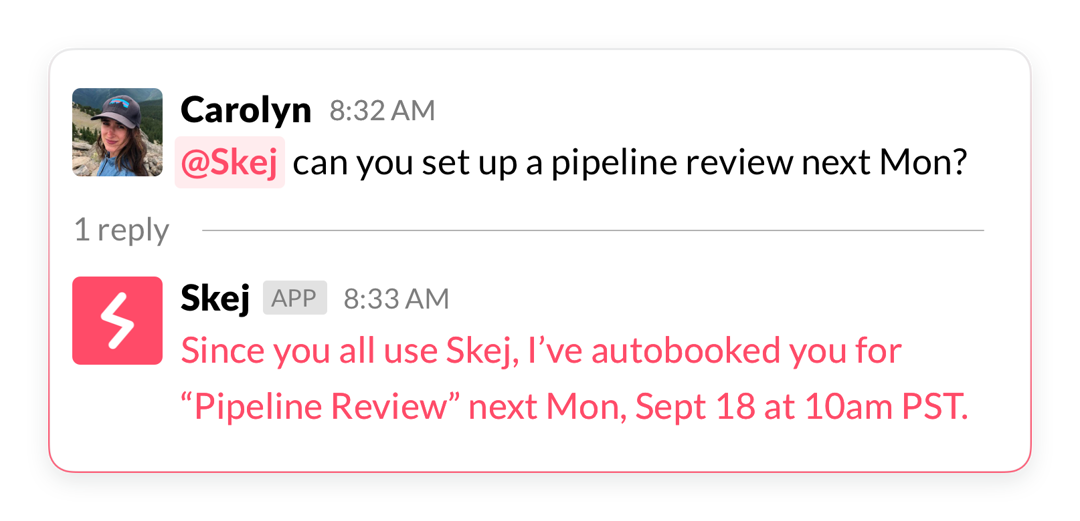
Schedule with coworkers on Slack

Find Mutual Availability

Stop scanning calendars and instantly find overlapping availability between coworkers.

Skej integrates your calendars right in Slack. It easily finds times across time zones for remote teams, and can tell you exactly when you're all free.
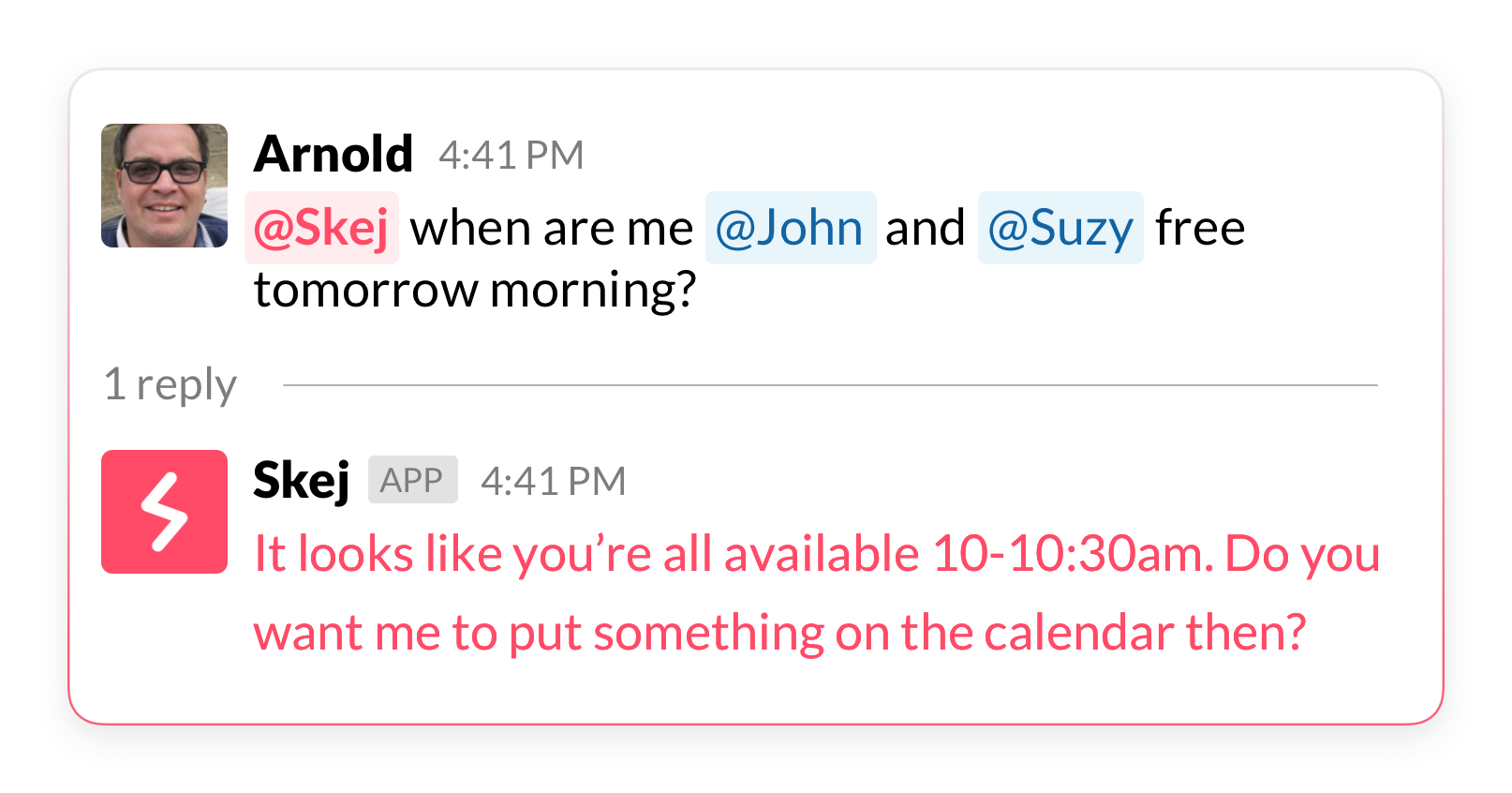
Find mutual availability

DM Skej With Any Meeting Request

You can DM Skej to book, modify or reschedule a meeting with external contacts and Skej will notify all participants via email, and work with them to get it booked.

Skej can take action on any event in your calendar directly from Slack.
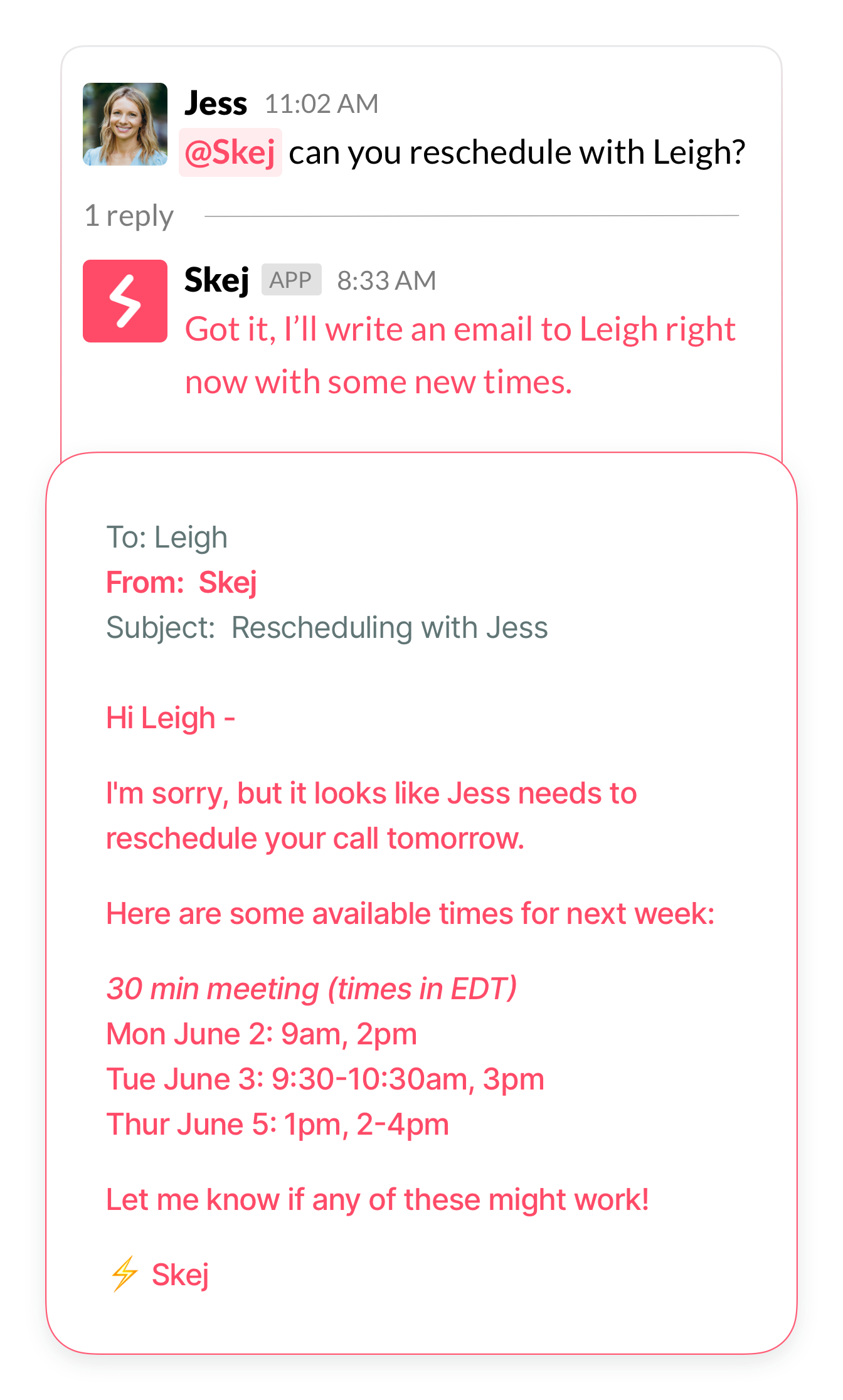
DM Skej with meeting requests

Agendas and Reminders

Skej will DM you a daily agenda each morning, and send out reminders before each event on your calendar.

You can reply directly to any reminder if you want Skej to reschedule or make any changes.
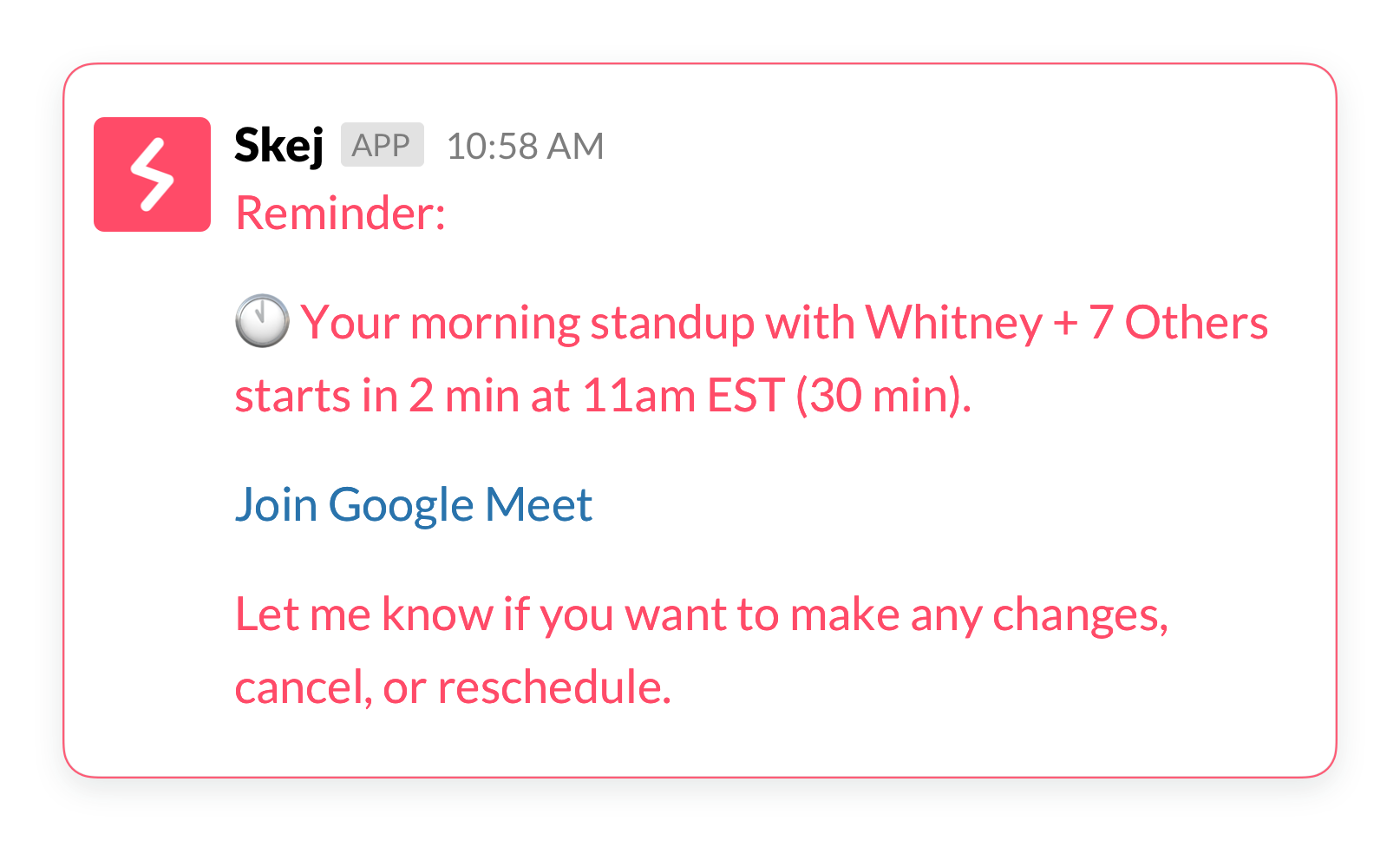
Agendas and reminders

Get Started With Skej For Slack

Install Skej to your Slack workspace and start scheduling smarter today.

1

Sign up or log in to your Skej dashboard.

2

Go to the Slack Connections page.

3

Click "Connect Slack Workspace" and follow the prompts to authorize Skej in your Slack workspace.

4

The Skej app will appear under Apps in your Slack workspace.

5

Chat with Skej directly in the app and add @Skej to your Slack channels for effortless scheduling with your team.

Disclaimer: In certain instances, Skej utilizes LLMs to generate responses which can potentially result in inaccurate outputs.

Skej

Schedule Anywhere With Skej On Slack

Transform your team's scheduling workflow with AI-powered assistance.

Try Skej for Free →

Product

Email AssistantBooking LinkTextingSlack & TeamsFollow-UpsAdd to CalendarSmart Options

Solutions

For InvestorsFor FoundersFor SalesFor RecruitersSwitch from Calendly

For Teams

Internal MeetingsSlack & TeamsSecurity & ComplianceIT Admin ControlsCustom Assistants

Company

CompanyUpdatesBlogSimon BaumerContact

Resources

PricingFAQTermsPrivacyCookiesTrust Center

Get Started

Product

Email AssistantBooking LinkTextingSlack & TeamsFollow-UpsAdd to CalendarSmart Options

Solutions

For InvestorsFor FoundersFor SalesFor RecruitersSwitch from Calendly

For Teams

Internal MeetingsSlack & TeamsSecurity & ComplianceIT Admin ControlsCustom Assistants

Company

CompanyUpdatesBlogSimon BaumerContact

Resources

PricingFAQTermsPrivacyCookiesTrust Center

Get Started

Designed by 3Gen Internet Corporation in New York

Skej
Assistants
Product
Solutions
For Teams
Switch from Calendly
Pricing
Skej Slack Integration

Schedule Anywhere WithSkej On Slack

Skej Works Wherever You Work

Add Skej to your Slack workspace, and message @Skej any time to instantly schedule between coworkers, reschedule, modify, and book new meetings with contacts, or to get information about your calendar and day.

Schedule With Coworkers

Skej has a bird's eye view of everyone's availability and can instantly book meetings between coworkers. Skej accounts for each person's availability, buffers, and other scheduling preferences.

Schedule with coworkers on Slack

Find Mutual Availability

Stop scanning calendars and instantly find overlapping availability between coworkers.

Skej integrates your calendars right in Slack. It easily finds times across time zones for remote teams, and can tell you exactly when you're all free.

Find mutual availability

DM Skej With Any Meeting Request

You can DM Skej to book, modify or reschedule a meeting with external contacts and Skej will notify all participants via email, and work with them to get it booked.

Skej can take action on any event in your calendar directly from Slack.

DM Skej with meeting requests

Agendas and Reminders

Skej will DM you a daily agenda each morning, and send out reminders before each event on your calendar.

You can reply directly to any reminder if you want Skej to reschedule or make any changes.

Agendas and reminders

Get Started With Skej For Slack

Install Skej to your Slack workspace and start scheduling smarter today.

1

Sign up or log in to your Skej dashboard.

2

Go to the Slack Connections page.

3

Click "Connect Slack Workspace" and follow the prompts to authorize Skej in your Slack workspace.

4

The Skej app will appear under Apps in your Slack workspace.

5

Chat with Skej directly in the app and add @Skej to your Slack channels for effortless scheduling with your team.

Disclaimer: In certain instances, Skej utilizes LLMs to generate responses which can potentially result in inaccurate outputs.

Skej

Schedule Anywhere With Skej On Slack

Transform your team's scheduling workflow with AI-powered assistance.

Try Skej for Free →

Product

Email AssistantBooking LinkTextingSlack & TeamsFollow-UpsAdd to CalendarSmart Options

Solutions

For InvestorsFor FoundersFor SalesFor RecruitersSwitch from Calendly

For Teams

Internal MeetingsSlack & TeamsSecurity & ComplianceIT Admin ControlsCustom Assistants

Company

CompanyUpdatesBlogSimon BaumerContact

Resources

PricingFAQTermsPrivacyCookiesTrust Center

Get Started

Product

Email AssistantBooking LinkTextingSlack & TeamsFollow-UpsAdd to CalendarSmart Options

Solutions

For InvestorsFor FoundersFor SalesFor RecruitersSwitch from Calendly

For Teams

Internal MeetingsSlack & TeamsSecurity & ComplianceIT Admin ControlsCustom Assistants

Company

CompanyUpdatesBlogSimon BaumerContact

Resources

PricingFAQTermsPrivacyCookiesTrust Center

Get Started

Designed by 3Gen Internet Corporation in New York